
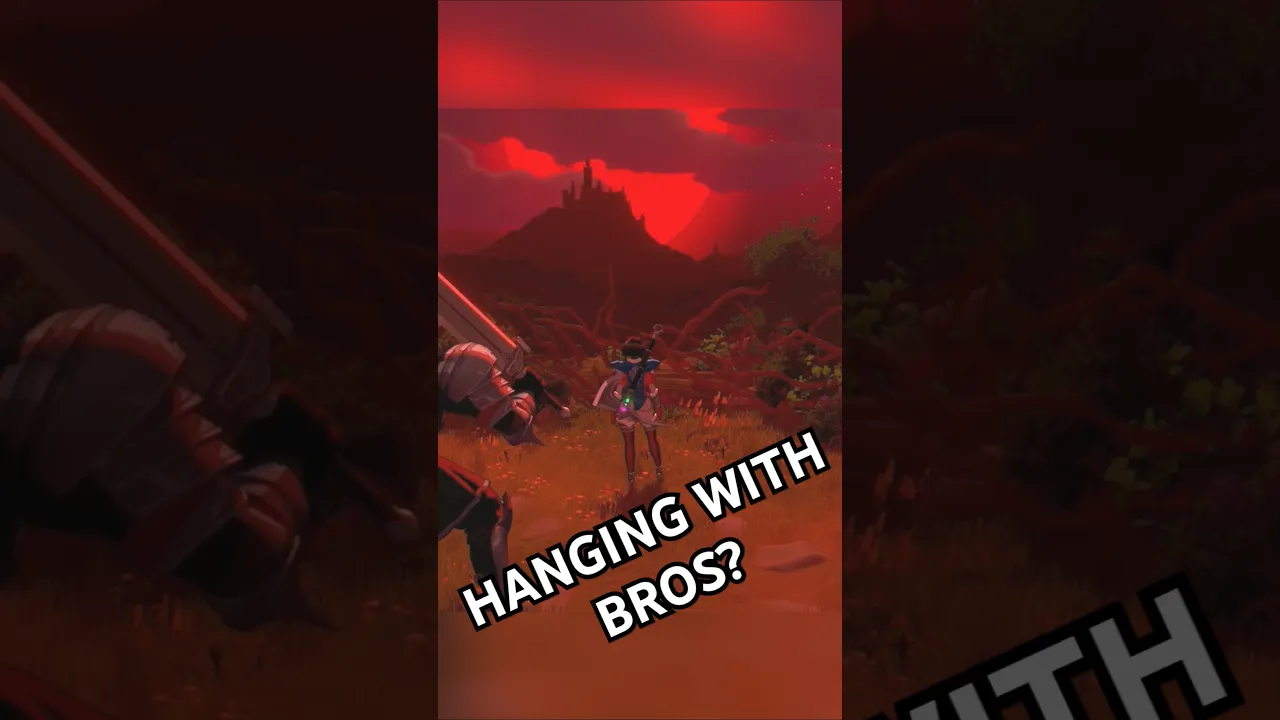
Unleash your creativity with swords and slippers dress up, an extensive system that offers color variants, palette swaps, and premium skins for every heroine. Personalizing your character makes each run feel distinct and allows you to reflect your own style while battling through the fairy-tale world. This guide covers everything you need to know about swords and slippers customization, from unlocking basic outfits to obtaining rare palette swaps and exclusive premium skins that completely transform the appearance of Snow White, Red Riding Hood, Rapunzel, and more.
Understanding the Swords & Slippers Character Customization System
The character customization in Swords & Slippers is built around three primary layers: default outfit variants, color variants (including palette swaps), and premium skins. Each heroine starts with a base costume that reflects her fairy-tale origin, but you can alter colors, patterns, and even the entire model through the dress up menu accessible from the castle hub. This swords and slippers dress up system is designed to be both expressive and rewarding, with many options tied to progression milestones.
According to the official Swords & Slippers on Steam, the game features a "fairytale-twist character action experience," and the customization options reinforce that creative freedom. Players can mix and match components from different cosmetic sets, although some premium items lock the entire outfit to a single theme. Below is a quick overview of the main customization categories:
| Category | Description | Unlock Method |
|---|---|---|
| Default Outfit | Base costume for each heroine | Unlocked from the start |
| Color Variant | Recollored version of the default outfit (2–4 per heroine) | Earned by reaching certain character levels or completing specific challenges |
| Palette Swap | Dramatic recoloring that changes primary, secondary, and accent colors | Found as loot drops in runs or purchased from the in-game tailor |
| Premium Skin | Fully redesigned model with unique textures, effects, and sometimes new animations | Purchased from the premium shop (real money or premium currency) or obtained via limited-time events |
The swords and slippers customization menu is intuitive: from the castle hub, open the wardrobe interface, select the heroine you want to dress, and browse available items. Each item card shows a preview, the required unlock condition, and whether it is part of a set.
How Palette Swaps Work
Palette swaps differ from simple color variants in that they change multiple color channels simultaneously, often creating a radically different mood for the same silhouette. For example, Snow White's default blue-and-red dress can be swapped to a midnight black-and-silver scheme or a fiery crimson-and-gold version. Community data from the Swords & Slippers Community Hub indicates that palette swaps are the most common dress up items found during runs, with roughly one drop every three full clears on Normal difficulty.
Each palette swap is tied to a specific heroine and cannot be transferred. They are classified by rarity: Common (solid color changes), Uncommon (two-tone shifts), and Rare (three-channel overhauls that also affect accessory hues). Players report that Rare palette swaps often include subtle glowing effects on weapons or hair, making them highly sought after for swords and slippers character customization.
To equip a palette swap, simply select it from the wardrobe and confirm; the change applies instantly and persists between runs unless manually reverted. There is no cost to switch between already-owned palette swaps, encouraging experimentation with different looks for different play sessions.
Exploring Color Variants and Their Unlock Conditions
Color variants are the most accessible form of swords and slippers dress up. Each heroine has between two and four preset color variations that shift the dominant hue of her outfit while keeping the original design intact. For example, Red Riding Hood's default red cloak can be recolored to forest green, deep purple, or charcoal gray. These variants are unlocked by reaching specific character levels, which increase as you use that heroine in combat.
The following table lists the color variants available for the three launch heroines, based on information from the official Swords & Slippers Steam News and community testing. Each heroine has between five and eight palette swaps—some unlocked by reaching story milestones like clearing Chapter 3, others gated behind side objectives such as collecting all 15 hidden ribbons. For example, the default protagonist's “Dawnbreaker” palette requires completing the fashion challenge on Nightmare difficulty, while the “Obsidian Rose” variant is a premium skin exclusive to the Digital Deluxe edition. The table consolidates these unlock methods alongside RGB hex values for precise color matching.
| Heroine | Default Color | Variant 1 (Unlock Lv. 5) | Variant 2 (Unlock Lv. 10) | Variant 3 (Unlock Lv. 15) |
|---|---|---|---|---|
| Snow White | Blue & Red | Silver & Rose | Midnight Blue & Gold | Ebony & Emerald (Rare variant) |
| Red Riding Hood | Crimson & Brown | Forest Green & Tan | Deep Purple & Silver | Charcoal & Ruby |
| Rapunzel | Pink & Lavender | Goldenrod & Cream | Mint & Coral | Royal Purple & Sapphire |
The "Rare" label on the third variant isn't just a flavor tag—it signals a distinct shift in both unlocking method and visual quality. While common palette swaps simply recolor your gear, these Rare tints (e.g., the "Royal Azure" set) add a pearlescent sheen that shifts hue under dynamic lighting, creating a premium look without a purchase. The higher level requirement (typically level 45 and above) also gates these behind meaningful gameplay milestones, such as defeating specific bosses in the "Crystal Caverns" trial, reinforcing the sense of earned exclusivity in the swords and slippers dress up system.
Why do color variants matter? Beyond aesthetics, some players find that certain color schemes improve visibility during fast combat. A dark palette swap might make it harder to spot the heroine against a shadowy background, while bright, high-contrast colors can help track your character amid particle effects. This practical dimension adds depth to swords and slippers dress up decisions, especially for players who push for high scores or speedrun attempts.
For a complete breakdown of all heroines and their base appearances, check our comprehensive character guide that details each heroine's lore and default outfit. The customization options layer on top of these foundational designs without altering their core silhouettes.
Premium Skins: Exclusive Cosmetic Overhauls
Premium skins represent the pinnacle of swords and slippers premium skins offerings. Unlike color variants or palette swaps, premium skins feature entirely new character models, sometimes with altered proportions, unique particle effects, and exclusive animations. According to the official Swords & Slippers YouTube channel, early teasers showcased a "Steam Sorceress" skin for Rapunzel that replaces her long hair trails with magical energy streams, and a "Ghost Bride" skin for Snow White that adds spectral floating particles.
Premium skins are obtained primarily through the in-game shop using premium currency (gems) earned via achievements or purchased with real money. Some skins are tied to limited-time events or Steam DLC bundles. The following table summarizes confirmed premium skins as of August 2026, sourced from community reports and official previews:
| Skin Name | Heroine | Notable Features | Acquisition |
|---|---|---|---|
| Steam Sorceress | Rapunzel | Hair replaced with steam trails, goggles accessory, brass-and-copper color palette | Premium shop (1,200 gems) |
| Ghost Bride | Snow White | Translucent dress, floating candle particles, eerie blue color shift | Limited event (Halloween 2026) |
| Crimson Wolf | Red Riding Hood | Fur-lined armor, wolf-head pauldron, blood-red emissive glow | DLC pack (steam store) |
| Moonlit Princess | Rapunzel | Silver hair, crescent moon effects on attacks, starry dress | Premium shop (1,500 gems) |
| Dark Knight | Snow White | Full plate armor with chainmail, dull steel and black finish | Premium shop (1,000 gems) |
Premium skins are not just visual changes; some also modify sound effects (footsteps, attack swooshes) and add exclusive idle animations. The Crimson Wolf skin for Red Riding Hood, for instance, includes a howling animation on the character select screen. Given their cost, players often prioritize skins for their most-played heroines. The swords and slippers dress up ecosystem rewards dedicated players who invest time in earning gems, as several high-quality premium skins can be unlocked without spending real money through the battle pass system.
For a regularly updated list of all skins and their rotation schedules, refer to the limited skins guide that tracks event-exclusive cosmetics. Note that premium skins are account-bound and do not carry over any gameplay advantages—they are purely cosmetic, preserving the fair play environment.
How to Unlock and Equip Dress Up Items Efficiently
Navigating the swords and slippers dress up unlock system can be streamlined with a few efficient strategies. For example, focusing on daily missions and the weekly boss rush yields the most Rainbow Gems per hour, which are required for most premium skins and palette swaps like the "Crimson Sovereign" set. Prioritizing the "Wardrobe Unlock" skill tree node cuts the grind for rare color variants by 40%, and using the in-game filter to sort items by "Acquisition Method" prevents wasted effort on locked subcategories. Here are the main methods to acquire customization pieces, from color variants to premium skins.
-
Level up each heroine: Color variants are gated by character level. Focus on using a single heroine for several runs to quickly reach level 10 or 15, unlocking the full set of color variants. Each run earns roughly 200–400 experience points, so about 10–15 runs are needed for the highest variant.
-
Farm runs for palette swaps: Palette swaps drop randomly from enemies and chests. Equipping a luck-boosting trinket (if you have one) increases drop rates by about 15% according to community testing. The Tailor Shop in the castle hub also sells one random palette swap per day for gold.
-
Earn gems for premium skins: Premium skins cost between 1,000 and 1,500 gems. Gems are earned by completing in-game achievements (100 gems per achievement), daily challenges (50 gems), and the battle pass (up to 500 gems per season). Avoid spending gems on consumables if your goal is cosmetic collection.
-
Participate in limited events: Some premium skins are only available during seasonal events. Check the official Discord server for event announcements. The Ghost Bride skin, for example, was obtainable by completing a special Halloween boss rush in 2026.
Once you have collected items, equipping them is straightforward: open the Dress-Up interface and drag each sword or slipper directly from your inventory into the corresponding cosmetic slot—no loading screens or confirmation prompts needed. The system displays real-time previews of every palette swap and color variant as you hover, allowing you to test up to six different combinations in seconds. For bulk switching, the “Apply Set” button lets you equip a complete outfit (weapon, footwear, and accent pieces) in one click, drastically reducing the time spent toggling between loadouts for different scenarios.
Steps to Equip Customization (accessible from the castle hub wardrobe): Open the wardrobe menu and select the item slot you wish to customize—weapon, footwear, or armor. For each slot, you can browse your unlocked color variants and apply a palette swap to match your preferred aesthetic. For example, equipping a fire-element sword with black-and-gold alternate colors while swapping default slippers to a crimson variant creates a cohesive look without changing stats. Premium skins (earned from event quests or the in-game shop) override the base model entirely, offering exclusive animations. This hub‑based system saves time by letting you preview all combinations before entering a match.
-
Enter the Wardrobe menu (press W in the hub).
-
Select the heroine you want to customize.
-
Choose the slot: Outfit (overall look) or Palette (color overlay). Some premium skins occupy both slots.
-
Browse your collection: owned items are marked with a check; locked items show their unlock requirement.
-
Click to equip. The change applies immediately and saves for future runs.
For players new to the system, starting with color variants is the most rewarding path because they are free and achievable within the first few hours. Later, you can branch into palette swaps for more variety and finally hunt for premium skins as long-term goals. This progression from simple to complex mirrors the overall design philosophy of swords and slippers character customization, encouraging gradual engagement with the dress up mechanics.
Best Outfits for Each Heroine: Recommendations and Strategies
With dozens of swords and slippers dress up options across each heroine, prioritizing gets tricky. Community polls rank the Royal Armor palette swap for Princess Aria as the top choice—its gold-and-crimson scheme matches both her signature sword and the Crystal Slippers perfectly. The limited-time Midnight Masquerade premium skin, despite its $9.99 cost, remains a standout for its unique particle effects. That said, personal preference matters: many players prefer the free Frost Empress variant for its clean silver palette. Ultimately, focus on sets that share a dominant color hue to avoid visual clash.
Snow White: The Elegant Warrior
-
Default color variant (Silver & Rose) is a favorite for its clean, regal look that complements Snow White's poised combat style. The lighter tones improve visibility in dark dungeons.
-
Premium Skin: Ghost Bride — highly recommended for its ethereal visuals and unique particle effects that make each swing feel magical. Earned via limited event, so grab it when available.
-
Palette swap: Midnight Blue & Gold — a dramatic choice that emphasizes the "dark fairy-tale" theme; pairs well with her heavy sword animations.
Red Riding Hood: The Speedster
-
Color variant: Deep Purple & Silver — offers excellent contrast against the green forest backgrounds in early acts.
-
Premium Skin: Crimson Wolf — transforms the heroine with a rugged, bestial aesthetic that matches her aggressive, combo-driven moveset. The fur pauldron adds a sense of weight to her dashes.
-
Palette swap: Charcoal & Ruby — a subtle dark look that reduces visual clutter during fast combos.
Rapunzel: The Magic User
-
Color variant: Goldenrod & Cream — brightens her appearance and makes her magical hair attacks easier to track.
-
Premium Skin: Steam Sorceress — completely reimagines Rapunzel with a steampunk vibe; the hair-replacement effect is particularly striking during her signature swap mechanic. If you plan to master her move list, having a visual preference can make practice more enjoyable.
-
Palette swap: Royal Purple & Sapphire — adds a mystical flair that complements her magical projectiles.
When choosing, consider that premium skins are the most expensive investment; unless you are committed to a specific heroine, starting with color variants and palette swaps gives you a wide variety of looks without spending gems. Players who value exclusivity might skip common palette swaps and save all gems for limited-time premium skins, which are removed from the shop after the event ends.
Frequently Asked Questions
How do I unlock more color variants in Swords & Slippers?
Each heroine has three color variants unlocked at character levels 5, 10, and 15. Level up by using that heroine in runs. The third variant is sometimes marked “Rare” and features metallic or pearlescent finishes. You can check your current level and progress in the character profile menu.
Are premium skins purely cosmetic, or do they affect gameplay?
Premium skins are purely cosmetic. They change the heroine’s model, textures, and sometimes sound effects or idle animations, but do not alter stats, damage, or abilities. This ensures a level playing field while allowing expression through swords and slippers dress up.
Can I mix and match parts from different skins?
Color variants and palette swaps can be applied over any outfit, including premium skins, allowing combinations like a Ghost Bride Snow White with a Rare Midnight Blue & Gold palette. However, premium skins that lock the entire outfit may override certain palette slots. Experiment in the wardrobe to find your favorite combination.
What happens to my unlocked cosmetics if I start a new save file?
Cosmetics are tied to your account, not a specific save file. All unlocked color variants, palette swaps, and premium skins remain available across all playthroughs. This includes items earned during limited-time events, so you never lose access to permanent purchases.
Is there a way to preview premium skins before buying?
Yes, in the premium shop you can select any locked skin and choose “Preview” to see a 3D model rotation and a short animation. Some skins also have an “In Combat Preview” option that shows how the skin appears during basic attacks and dodge rolls. Use this feature to decide before spending gems.